


Just Say It
No syntax to learn. Tell GDT what you want to do, and it will understand and help. Like talking to an assistant who knows GTD.
🎉 New in v0.2.0-beta
Recurring Tasks & Natural Dates — Create daily habits, weekly reviews, or monthly reports with natural language. "每周一提交周报" or "remind me every Friday" just works. Plus: Calendar Views and Settings Page in Web UI. Learn more →
Managing tasks shouldn't become another task.
Traditional task management tools require you to learn their interfaces, memorize shortcuts, manually break down complex tasks. Time spent "managing tasks" could be spent "doing tasks."
GDT takes a different approach: conversation.
You: I need to prepare a product launch next week, feeling overwhelmed

GDT: Let me help you get clarity. Here's your week at a glance:

       Mon 1/27                      Tue 1/28                      Wed 1/29
       ────────────────────────────  ────────────────────────────  ────────────────────────────
 09:00 ██████ Team standup           ██████ Team standup           ██████ Team standup
 10:00 ░░░░░░                        ▓▓▓▓▓▓ Design review          ██████ Launch prep
 11:00 ░░░░░░                        ▓▓▓▓▓▓                        ██████
 14:00 ░░░░░░                        ░░░░░░                        ░░░░░░
 15:00 ░░░░░░                        ░░░░░░                        ░░░░░░
       ────────────────────────────  ────────────────────────────  ────────────────────────────
       Available: 5h                  Available: 3h                 Available: 2h

     You have ~10 hours of focused time before launch.

     I notice you prefer 2-hour deep work blocks in the afternoon.
     Let me break this into actions that fit your style:

     📥 Captured to Inbox → Ready to clarify

     Want me to decompose into next actions?

You: Yes please

GDT: Based on your past launches, here's my suggestion:

     🎯 Next Actions:

     1. Finalize feature list           Mon 10:00-11:00  (1h)
     2. Write announcement copy         Mon 14:00-16:00  (2h) ← deep work
     3. Prepare demo script             Tue 14:00-15:30  (1.5h)
     4. Test deployment                 Tue 15:30-16:30  (1h)
     5. Dry run with team               Wed 09:30-10:00  (30m)

     Total: 6 hours across 3 days — well within your available time.

     ✓ Added 5 tasks to your list
     ✓ Blocked focus time on calendar

Ready to start with the feature list?GDT offers both a Terminal UI and a Web UI — choose the one that fits your workflow.
For keyboard lovers
getdone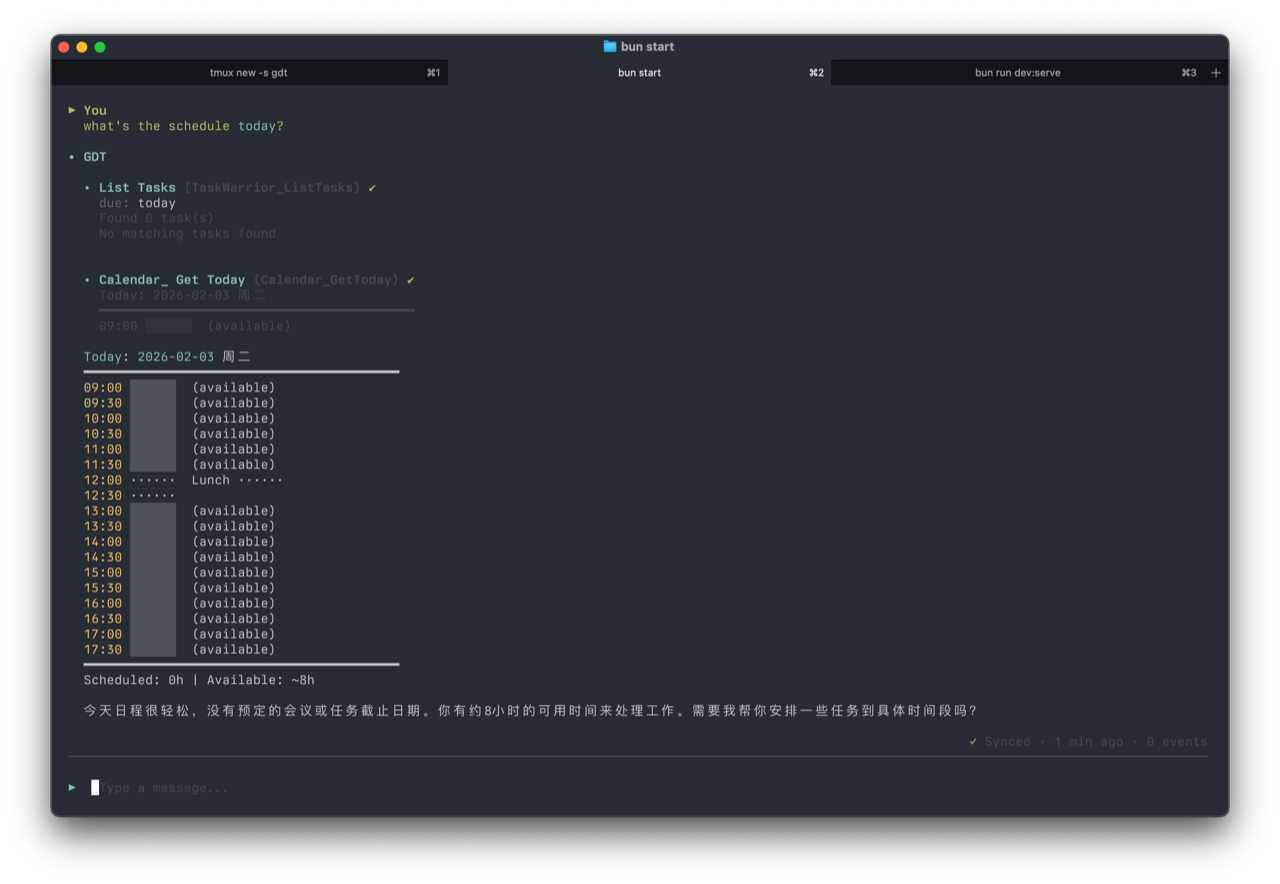
For visual thinkers
getdone serve --open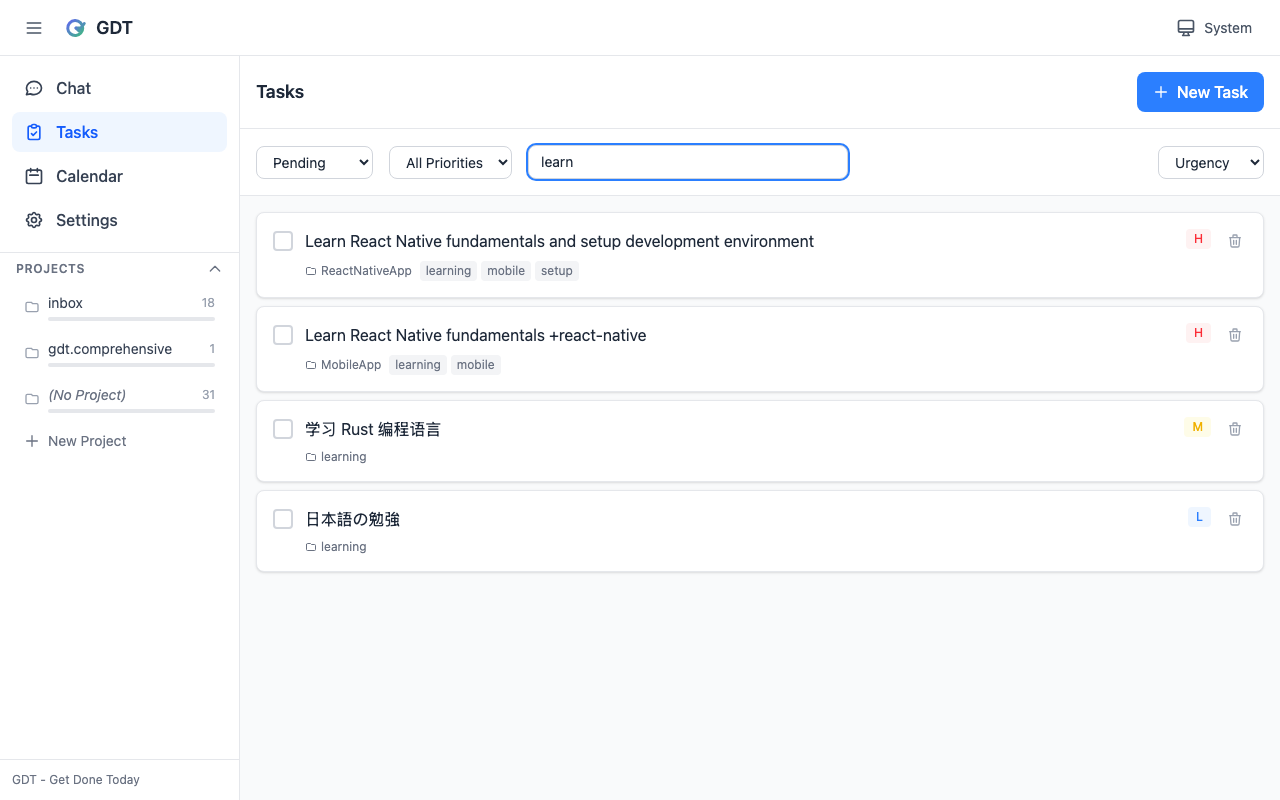
# Install
npm install -g @getdonetoday/gdt

# Option 1: Terminal UI (conversation mode)
getdone

# Option 2: Web UI (visual interface)
getdone serve --open

# Or run a single task
getdone -p "Help me break down 'write quarterly report' into steps"


